
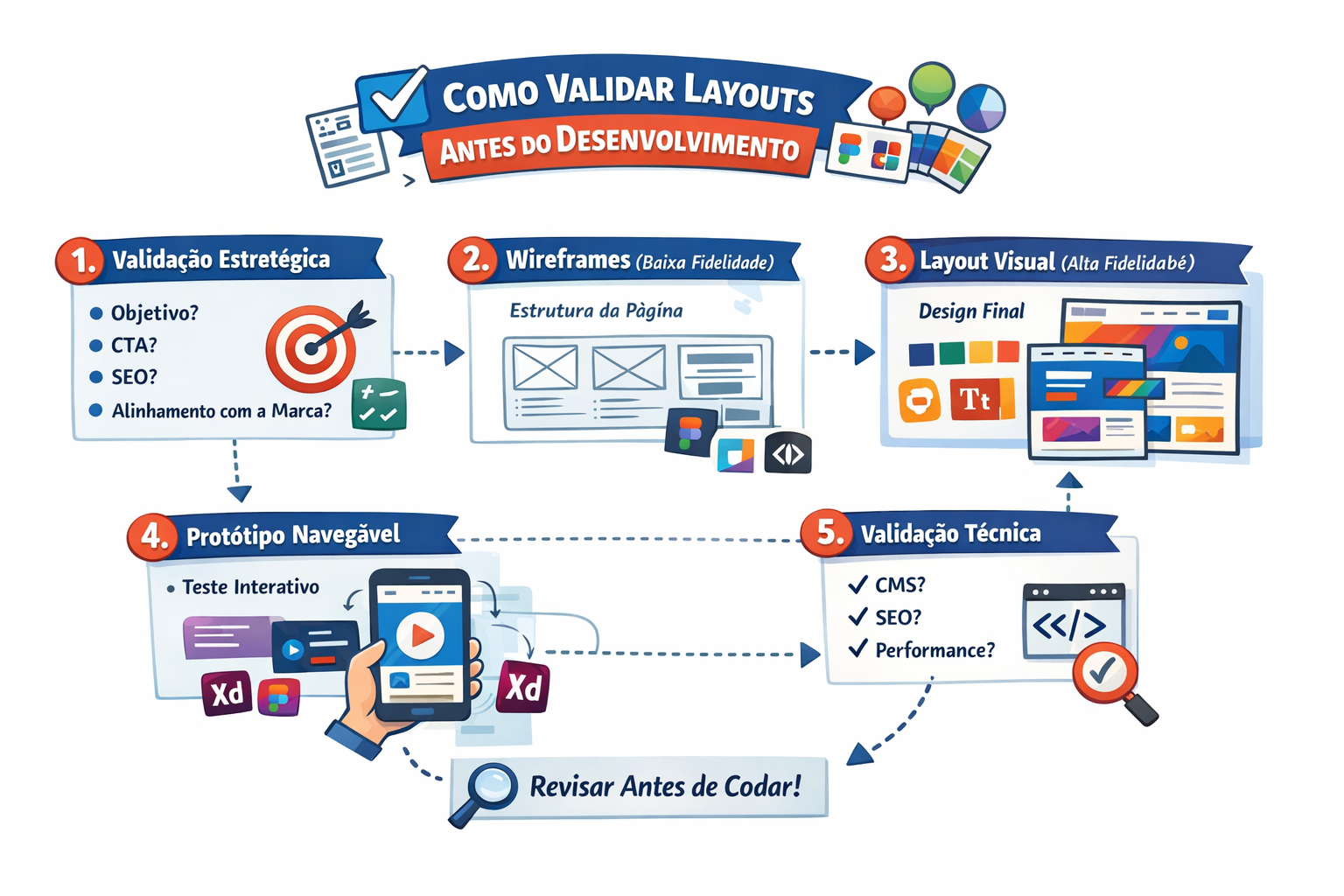
How to Validate Layouts Before Development
Have you ever imagined how much easier your development work for a new system or application would be if layout validation was done before writing any code? That’s right — validating layouts before development brings numerous benefits to your project, from reducing rework costs to improving the end-user experience. In this post, we’ll explore the key steps to effectively validate layouts and ensure more efficient development.
Why Validate Layouts Before Development?
Before diving into the validation steps, it’s important to understand why this practice is so important. After all, why not just jump straight into development and adjust the design as needed?
The answer lies in the benefits of early layout validation. By validating designs before writing the first line of code, you can:
- Reduce rework costs: By identifying usability issues and design errors during the prototyping phase, you avoid having to redo entire features during development, saving time and money.
- Improve user experience: Usability tests allow you to collect valuable feedback from target users, ensuring the design meets their needs and expectations.
- Align expectations with stakeholders: Layout validation allows you to get approval from key project stakeholders before moving to implementation.
- Identify problems and risks early: Interface issues, information architecture problems, and navigation flow errors are detected and resolved during the prototyping phase.
In summary, layout validation is essential to ensure you develop the right solution, meeting user requirements in a more efficient and cost-effective way. Let’s now look at the main steps of this process.
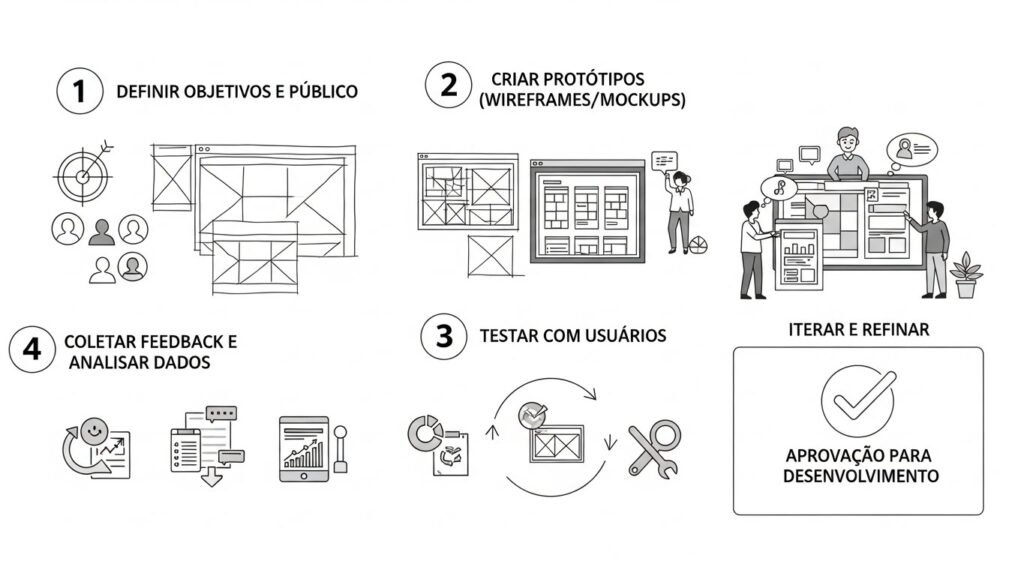
The 4 Key Steps to Validate Layouts
1. Requirements Definition
Before even thinking about creating prototypes, it’s essential to gather and document the system’s functional and non-functional requirements. What are the project objectives? What are the users’ needs and pain points? What are the acceptance criteria for the interface?
This initial requirements gathering stage is crucial for guiding the entire layout validation process. Without it, you risk creating prototypes that don’t meet stakeholder and end-user expectations.
2. Prototype Creation
With well-defined requirements, you then move on to building low and high-fidelity prototypes. Tools like Figma, Sketch, and Adobe XD allow you to create interactive designs that simulate the final user experience.
At this stage, it’s important to incorporate all previously gathered requirements, ensuring the prototypes faithfully reflect the proposed solution.
3. Prototype Testing and Validation
It’s time to put the prototypes in the hands of real users and collect valuable feedback. Usability tests help identify interface problems, confusing navigation flows, and opportunities for improvement.
This iterative process of testing and adjusting prototypes is essential to ensure the final solution meets user needs. The earlier problems are identified, the lower the cost and effort to resolve them.
4. Adjustments and Final Approval
Based on insights collected from usability tests, it’s time to implement the necessary improvements in the prototypes. This adjustment and refinement stage ensures the final design is aligned with requirements and approved by stakeholders.
Once this phase is complete, the validated layouts can be documented and delivered to the development team, who can then work confidently on building the solution.
Conclusion
Layout validation before development is an essential practice for ensuring the efficiency and success of any digital project. By following the steps of requirements gathering, prototype creation, usability testing, and final approval, you avoid rework costs, improve user experience, and align everyone’s expectations.
So why not start validating your layouts before writing the first line of code? This approach can make all the difference in your project’s final outcome. And if you need help with this process, just contact Kairen Studio. Our UX and design specialists are ready to guide you on this journey!
To dive deeper into this topic, also check out: